For Property Agents

Bring in more tenants. Track every lead.

Share your personal referral link and QR code — every click and commission is tracked automatically, from first click to payout.
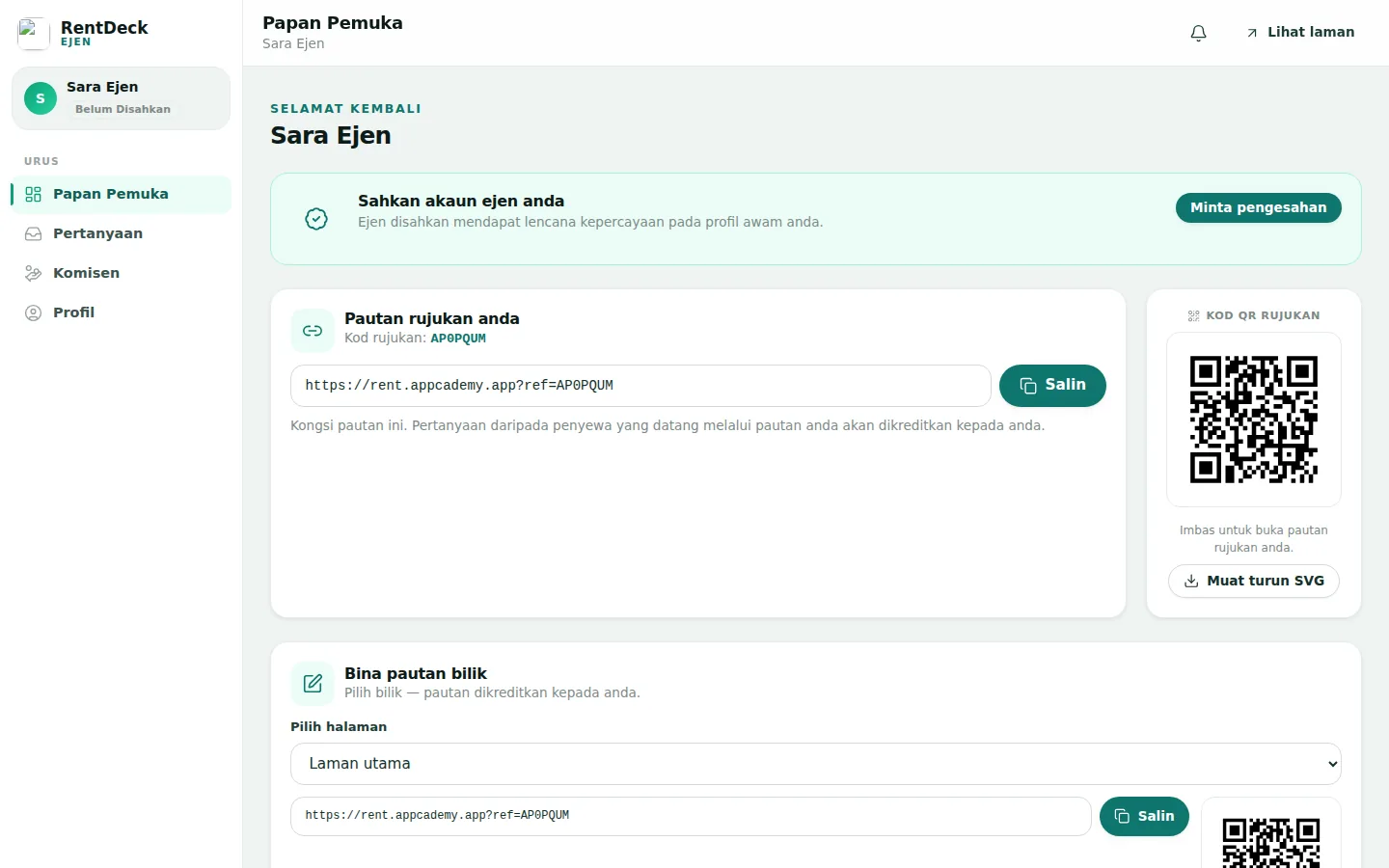
rent.appcademy.app/agent
RentDeck agent dashboard — referral link, QR code and link builder
How commission works

How commission works

Commission rates are set by the platform admins and shown on your profile.

Get your link & QR code

Every agent receives a personal referral code and link, complete with a QR code for cards and posters.

Share it anywhere

Every click is recorded — your top landing paths and conversion, live on your dashboard.

Commission when you win

When your lead reaches Agreed or Handed Off, commission is calculated automatically and paid with a reference.

Modern agent tooling — all of it live

No "coming soon" promises. All of this works today.

Referral link + QR

A personal link with a downloadable QR code for business cards and posters.

Click & conversion tracking

Clicks over 7/30 days, top landing paths and your conversion rate — live on the dashboard.

Auto-calculated commission

A preview commission is generated automatically at your rate — approved, then paid.

Credited leads dashboard

Every lead credited to you in one list, with status and the RDL reference.

Encrypted bank details

Your bank account number is stored encrypted — shown masked even to you.

Payouts with references

Every commission payout is recorded with a bank reference you can verify yourself.

Transparent tracking & proof

30-day first-touch cookie

The first click is credited to you — not someone else's last click.

Admin-approved commissions

Every commission is reviewed before a payout is recorded.

Transparent credit data

Your clicks, leads and commissions are auditable at any time.

For Property Agents

Bring in more tenants. Track every lead.

Share your personal referral link and QR code — every click and commission is tracked automatically, from first click to payout.
Sign up as Agent

Install RentDeck

Quick access right from your phone's home screen.

Tap Share then "Add to Home Screen".